
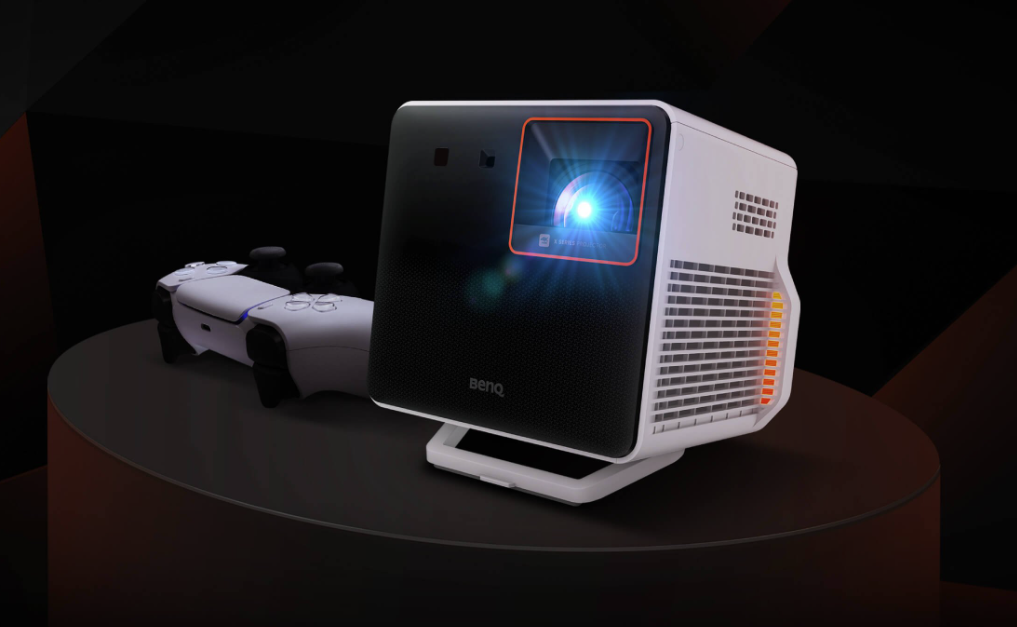
As a gamer, testing out different formats to play games on is important for getting the best gaming experience possible. The main ways to play video games are with handheld devices, monitors, or TVs connected to the consoles. However, gaming projectors are rising in popularity as people start to learn about the high-quality and immersive gaming experiences they provide. Previously, I reviewed the BenQ X3100i Gaming Projector after playing on it for nearly a year. Today, I will review the X300G Gaming Projector that I’ve used primarily with the Nintendo Switch and occasionally the PS5. This will be an in-depth review of the product, and this post is NOT sponsored by BenQ.
About the Projector
The X300G is a short-throw 4K UHD semi-portable gaming projector featuring BenQ CinematicColor and CinematicSound technology, designed to enhance the gaming experience. It covers 84% of the DCI-P3 color space and boasts 2000 ANSI lumens. It has Auto 3D Keystone and Auto Focus with 1.2x Optical Motorized Zoom for effortless adjustments. It offers various game modes with the lowest input lag, 4.16ms in 1080P@240Hz, with RPG Mode, SPG Mode, and SPS Mode. With its auto game mode, the projector identifies the console you’re playing on and recalls your previous game mode settings for each game. The projector has an MSRP of $1799 (BenQ estore offers free shipping & deals often) and they have some recommended products in case you need a new remote or accessories.
Realistically, if you don’t know what these specs mean, you only need to focus on the brightness, image quality, and installation flexibility when selecting a gaming projector. You can adjust game settings as you need, but the default auto settings the projector has are usually great for the games of your choice! But if you want to up your settings, BenQ offers a program called SettingXchange where you can share your settings for certain games or download presets from other gamers (it does require a connection to your laptop and downloading the program). Here is some more information on the projector though, if you’d like to review the specs fully!

If you’d like more details on the projector, here is the product page with full specs and information. You can also look up some real-life user reviews on YouTube!
The Gaming Experience
Before I share my gaming experience on this projector, keep in mind a few things. As of the publication of this article, I have: only experienced three gaming projectors (all from BenQ), only utilized RPG Mode, projected onto a 75in screen, and utilized the default projector settings/modes with no external speaker system. This projector is intended to pair with a Switch (though it works well with any console) and is advertised as perfect for any small space since it is so easy to set up. However, I struggled with the initial setup because “short throw” is not a clear term for someone who is unfamiliar with projectors, and the keystone adjustment is very limited so I had to physically adjust the projector placement. It also does not come with a type-C cable which you need to connect to the Switch directly (however, this does not fully work as advertised and I recommend still utilizing the dock and an HDMI cord), and they don’t offer a tripod, which I felt was misleading as the advertising is all about the connectivity, easy setup, and being the perfect partner for the Switch.
As for the gaming experience itself, I did have a fun time playing Super Mario Bros. Wonder and Legend of Zelda: Echoes of Wisdom on it because it is easier to use for the Switch compared to the X3100i. The projected images are extremely bright and work well during the day, but at night it was almost too bright (with Switch games only) so I left a light on as to not be blinded by it (which might not be a bad thing depending on your space!). It has great audio, doesn’t take up much space with its small size, and is lightweight, which is good for travel. While the projector does well on its own as a portable projector and is good for a budget, I would still advise getting the X3100i if you can for a better overall experience.
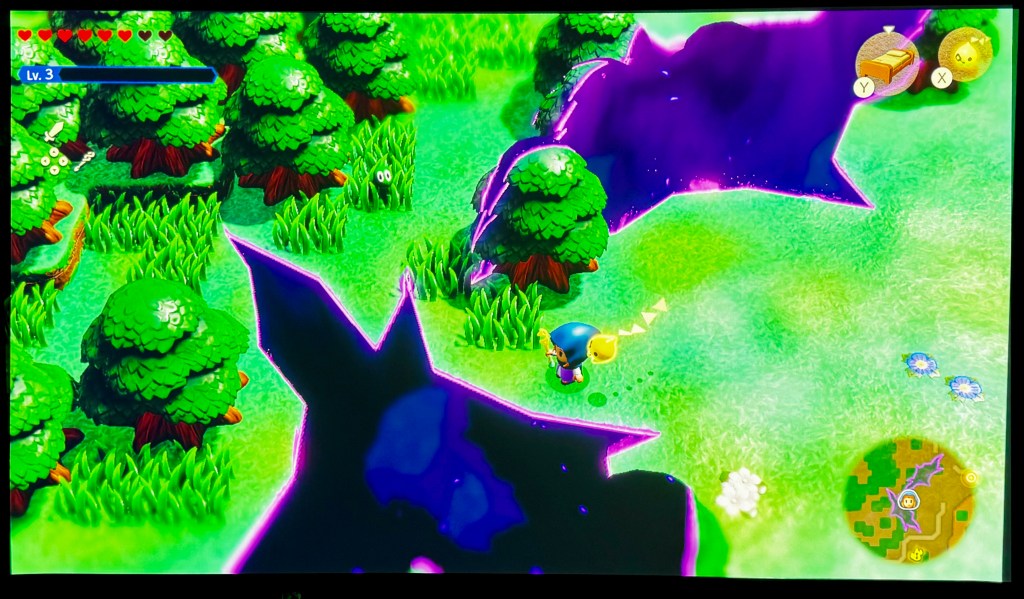
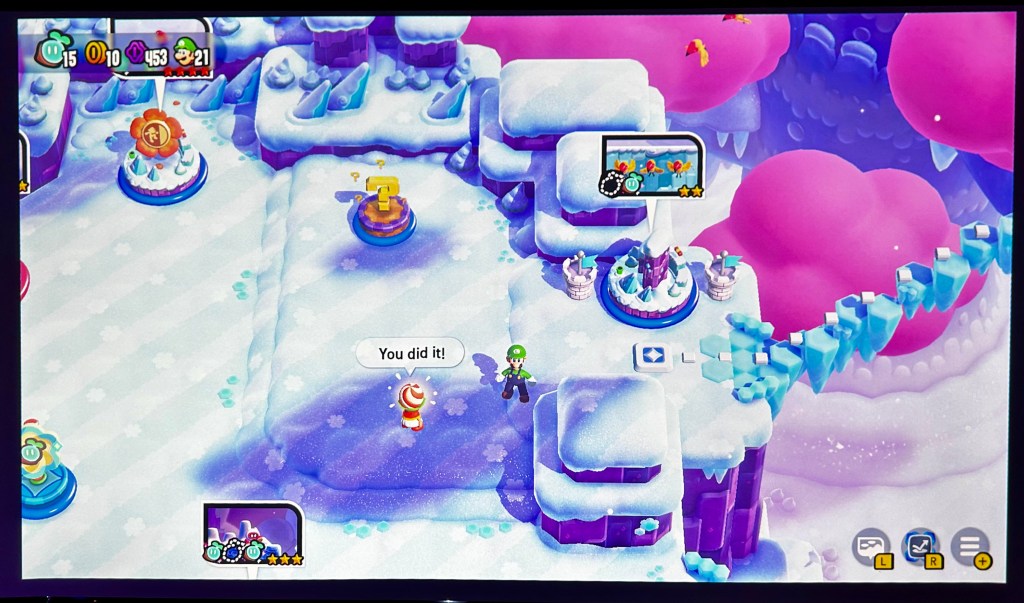
So far I have only really played Switch games on it and not many PS5 games, but the color has been great and it’s easy to set up. The best-looking games have a lot of blue and red tones, like Mario games often do, but some games like Breath of the Wild were lacking in any colors to make them pop on the projector.
The projector also has TreVolo speakers that really enhance the experience. Of course, the location of the projector in your room and/or the inclusion of a surround sound system will impact this, but on its own the sound quality is great. The remote control makes it easy to adjust the volume and settings as needed.
Other Options
If this portable gaming projector isn’t for you, you can check out the X3100i, X3000i, or X500i to see which is a good fit for you. They do have some other options, but these are the most recommended to select from when looking for a gaming projector specifically.
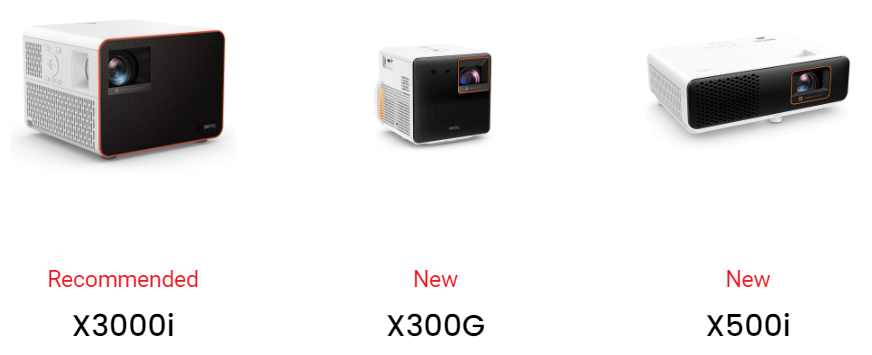
Please note that the projector is on loan from the company, I did not purchase it, and will most likely get the X3100i instead of this one. If you decide to get a gaming projector, or already have one, please share your thoughts below and give a shout-out to BenQ on social with an image of your gaming setup!
Thanks for reading! If you liked this post and want to see more of what I’ve written, check out my full blog here or follow my social media for updates! Bluesky & Instagram & Pintrest



 Writing Until Ragnarok
Leave a reply to The BenQ Game Zone Series – Gaming on Projectors – Writing Until Ragnarok Cancel reply